
No one wants to check documents one by one forever. Just look at Suncoast Credit Union in Florida, they were able to boost productivity by 1000% and reduce fraud losses after switching to automated checks.
But it’s not just credit unions in Florida. In 2026, document workflows have become increasingly automated globally across lending, insurance, marketplace onboarding, and tenant screening services.
And that’s a good thing. Automated document checkers help teams move faster, cut repetitive review, reduce human error, and route cases to the right place.
But speed creates its own problem. A document can be complete, readable, and perfectly formatted while still being fake. AI generated fakes, online document brokers, and entirely onboarded accounts are easy enough to find through a simple Google search.
That’s why automated document checking needs to be understood as more than a productivity tool. In high-risk workflows, it becomes a trust layer.
In this blog, we’ll explain what an automated document checker is, where it fits into business workflows, why generic automation is not enough for fraud detection, and what makes a fraud-focused document checker different.
Visit our “Document fraud: Ultimate guide” to learn more about document fraud across the spectrum.
What is an automated document checker?
An automated document checker is software that reviews submitted documents before they reach a human analyst or downstream decisioning system.
Instead of asking a person to inspect to perform document verification by hand, it checks whether the document is readable, complete, correctly classified, and suitable for the workflow it entered.
In simple terms, it helps answer basic operational questions like:
- Is the file readable?
- Is the document type accepted?
- Are the required fields present?
- Does the extracted information match the application?
- Do the values/contents fall into expected ranges and formats?
- Should this document move forward, be rejected, or go to manual review?
Depending on the system, an automated document checker may use optical character recognition (OCR), rules, artificial intelligence, or a combination of all three. Some tools focus on extracting text and organizing documents. Others check formatting, compare values, validate fields, or route cases to the right team. More complex systems can do some external validation via registries.
A simple automated document checking workflow looks like this:
- The customer submits a document.
- The system checks quality, format, completeness, consistency, and risk signals.
- Low-risk documents move forward.
- Suspicious or unclear documents go to manual review.
- High-risk documents can be rejected or escalated.
Tradiitionally it can be achieved in one of two ways: rule-based automation and AI.
- Rule-based automation. The system checks predefined conditions, such as missing fields, mismatched dates, unsupported file formats, incomplete uploads, or failed policy rules.
- AI-enabled document processing. The system can classify documents, extract information, recognize patterns, compare values, and route files based on the contents or characteristics of the submission.
The point is not to remove humans from the process completely. The point is to stop treating every document like it deserves the same level of attention. A good automated document checker handles routine checks quickly, flags suspicious files earlier, and gives analysts better evidence when a document needs human judgment.
Why are automated document checkers important?
Automated document checkers are important because document review now sits inside fast, high-volume digital workflows.
Customers upload thousands of documents during onboarding, underwriting, loan origination, insurance claims, know your customer checks, business verification, and customer due diligence.
That makes the document checker a control point. Having to handle that many documents, and check them in different ways, can leave organizations exposed to more bottlenecks, less efficiency, and more document fraud.
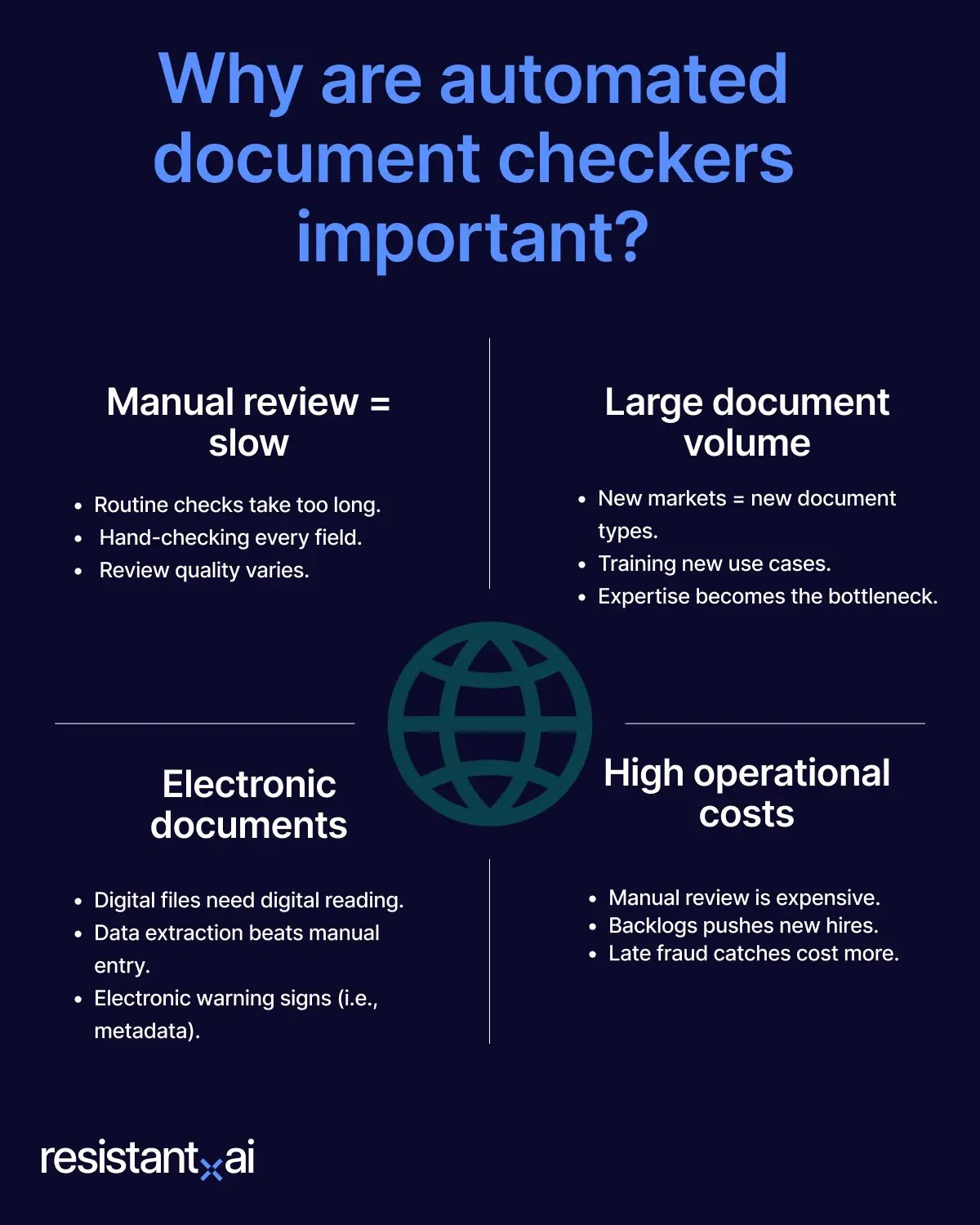
Manual review is slow and inconsistent
A person can only inspect so many bank statements, pay stubs, utility bills, business licenses, bills of lading, invoices, or certificates of incorporation.
An individual taking the time to verify every address, double check every registry, or even determine if a document is readable is impractical even at moderate scale.
It’s also inconsistent. Two analysts may look at the same document and reach different conclusions, especially when the signs of manipulation are subtle. Fatigue, time pressure, training gaps, and unclear escalation rules all create room for mistakes.
Document volumes are large (and keep getting larger)
Legacy institutions are under pressure to match fintech-speed onboarding while expanding into new products, markets, and document types.
Manual review does not scale well in that environment. Every new market adds unfamiliar document formats, languages, issuers, layouts, and rules. Not to mention compliance. Training analysts for each new use case takes time, and even a larger team is still limited by what it knows how to review.
Automated document checkers create a consistent first layer of review across changing workflows, so institutions can expand faster without rebuilding manual review processes every time the business enters a new market or accepts a new document type.
Everything is electronic now
The documents themselves have changed. They are no longer just scanned paper forms. They are PDFs, screenshots, mobile uploads, downloaded statements, generated files, and digital records that may have passed through several systems before anyone reviews them.
That changes what “checking a document” means. Teams should not have to manually read and retype information from files that already exist in digital form. Automated document checkers can extract data, classify document types, validate required fields, and move information into the systems that need it without turning every submission into a data-entry task.
But digital documents also need digital scrutiny. Their warning signs may not look like a folded corner, strange ink, or an obvious cut-and-paste mark. They can live in file behavior, formatting, metadata, rendering patterns, or inconsistencies that are hard to see on screen.
That is why automated document checking matters on both sides of the workflow. It helps businesses read documents faster and more consistently, while also giving risk teams a better way to assess whether the file should be trusted before it influences a decision.
High operational costs
Automated document checkers can also reduce operational costs. Manual review is expensive because every document consumes analyst time, even when the file is routine, low-risk, or obviously incomplete.
By handling basic checks automatically and routing only suspicious or unclear cases to analysts, teams can reduce review backlogs, lower cost per application, and avoid hiring more reviewers just to keep up with document volume.
They can also reduce the downstream cost of bad decisions. A fraudulent document that slips through onboarding, underwriting, lending, or claims review can create losses, investigation costs, compliance exposure, and customer friction later. The earlier a document checker catches risk, the cheaper it is to resolve.
Why automated document checkers should be purpose-built for fraud
Many tools labeled as automated document checkers are really only document processing tools by design.
They help businesses collect, read, classify, and route documents faster. That is useful, but it is not the same as detecting document fraud.
A processing-focused checker may be good at:
- Extracting text with optical character recognition.
- Checking whether required fields are present.
- Confirming that a file is readable.
- Matching values against an application or database.
- Routing the document to the right workflow or team.
Fraud detection has to ask a harder question: Is the document real or fake?
That is where generic automation starts to fall short. A fake bank statement can still contain every required field. The business it claims to back can even exist in a registry as those registries tend to be outdated, incomplete, or unwilling to vouch for their own data.
Criminals do not submit random mistakes and hope for the best. They test weak controls, learn what passes, and adapt. If a system only checks for missing fields, they include the fields. If it only checks formatting, they copy the format. If it only compares visible data, they make the visible data match.
By building a system that doesn’t have fraud in mind, you’re creating more opportunities for these nefarious individuals to exploit. You’re also hindering fraud prevention efforts by under-preparing for emerging and unknown threats.
Modern fraud has also become easier to scale. Generative AI can help produce convincing fake documents faster. Online document resellers and template farms make it easier for criminals to buy or modify bank statements, pay stubs, invoices, proof-of-address documents, and other files used in onboarding or underwriting.
These documents are built to look acceptable inside automated workflows.
That is why a fraud-focused automated document checker needs to be purpose-built. It cannot rely only on reading text, checking boxes, or routing cases. It needs to inspect the document as evidence. If it’s not built with fraud in mind, it may improve speed, but it can also create gaps in your defense.
A purpose-built fraud checker looks for signs of manipulation, suspicious reuse, synthetic generation, unusual file behavior, and patterns that connect one submission to another at the time of document intake. Not as an operational second-thought after its too late.
With an AI document verification solution, you can even adapt to the emerging threats we just mentioned (via pattern analysis, threat intelligence, and template recognition), making fraud management another element of your document automation workflow.
Conclusion
Automated document checkers can make document-heavy workflows faster, cleaner, and more consistent. They’re becoming an industry standard in 2026. But speed only helps if the system is checking the right things.
A document can be readable, complete, and correctly routed while still being fake.
Resistant Documents is purpose-built by fincrime experts for catching fraud risk. It helps detect manipulation, AI-generated fakes, suspicious reuse, and fraud patterns across submissions, turning those findings into clear evidence and decisioning support for your analysts.
Scroll down to book a demo.

Fraud awareness, examples, and lessons
Learn more about fraud in specific industries, best practices, and targeted documents.
View all
Application fraud in 2026 is easier to attempt: accessible tools and services help applicants turn false claims ...
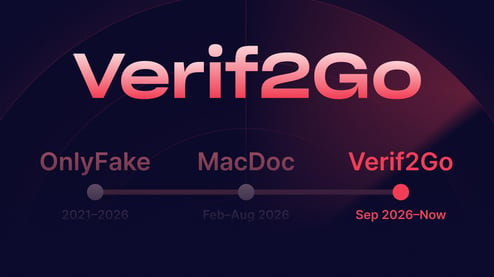
Within the fake document ecosystem, things can change fast. Four months ago, we reported that OnlyFake, the ...
In May 2026, a Dallas resident was convicted of running coin-operated “amusement machines” without a business ...

NEW YORK & PRAGUE – 1 October 2026 – Ocrolus, the AI workflow and analytics platform for lenders, today ...
For a few hundred dollars, sellers on Telegram promise to boost your credit score using someone else's credit ...
Key takeaways Fake certificates can use real numbers Fraudsters can copy a genuine business’s VAT number onto a ...